Graph
See what a parameter does.
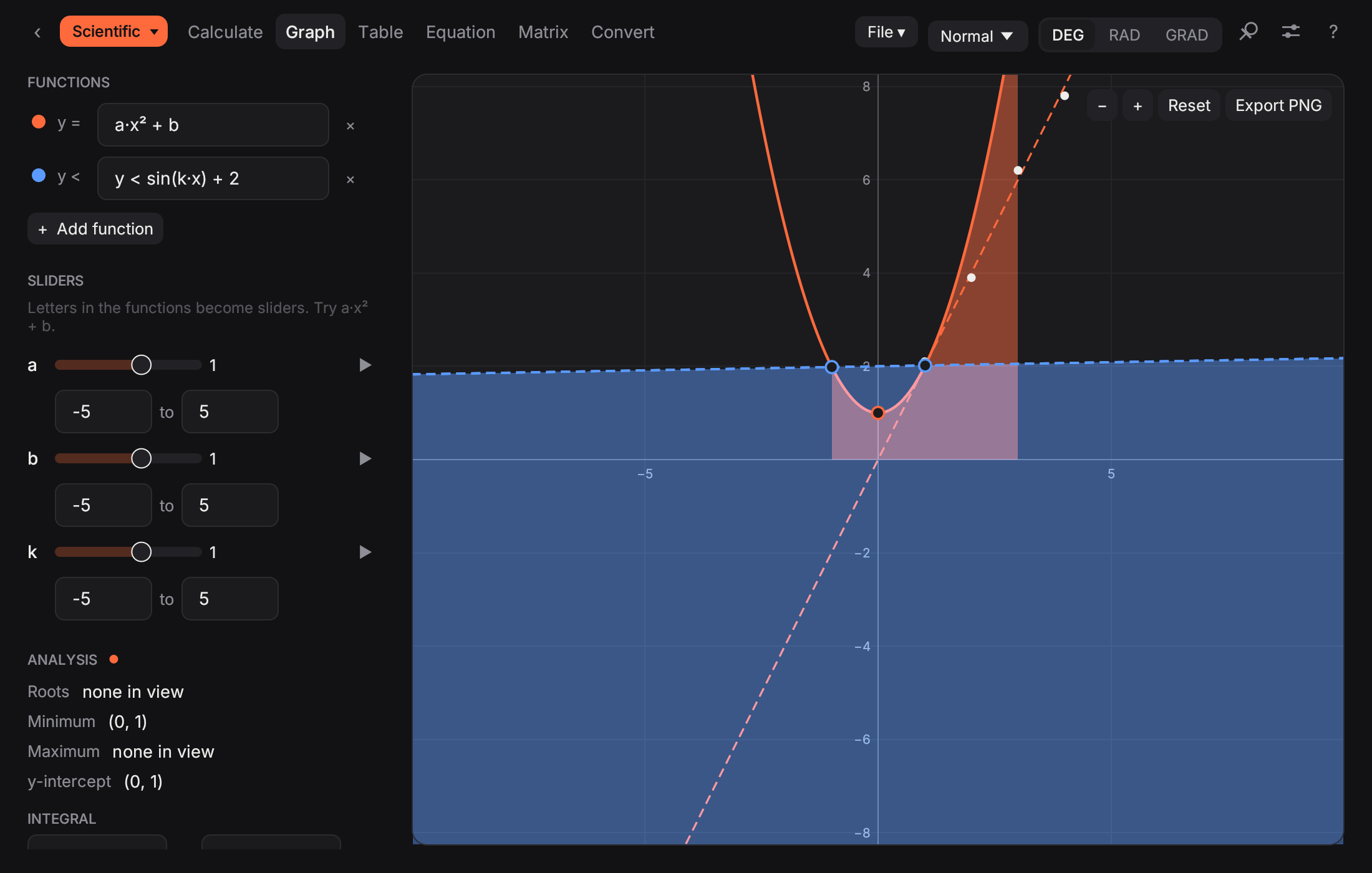
Any letter in a function becomes a slider. Drag it, or press play, and watch the curve, its derivative and its tangent move together. Inequalities shade their region.
Free · macOS · Windows · Linux
Type 4.7kΩ ∥ 10kΩ the way it is written on the schematic. Work a whole problem on a sheet. Phasors, matrices, calculus, differential equations, graphs and lab statistics in one fast native app, offline and without an account.
Version 3.1.0 · about 4 MB · no ads, no tracking
OfflineNo accountNo ads
macOSWindowsLinux
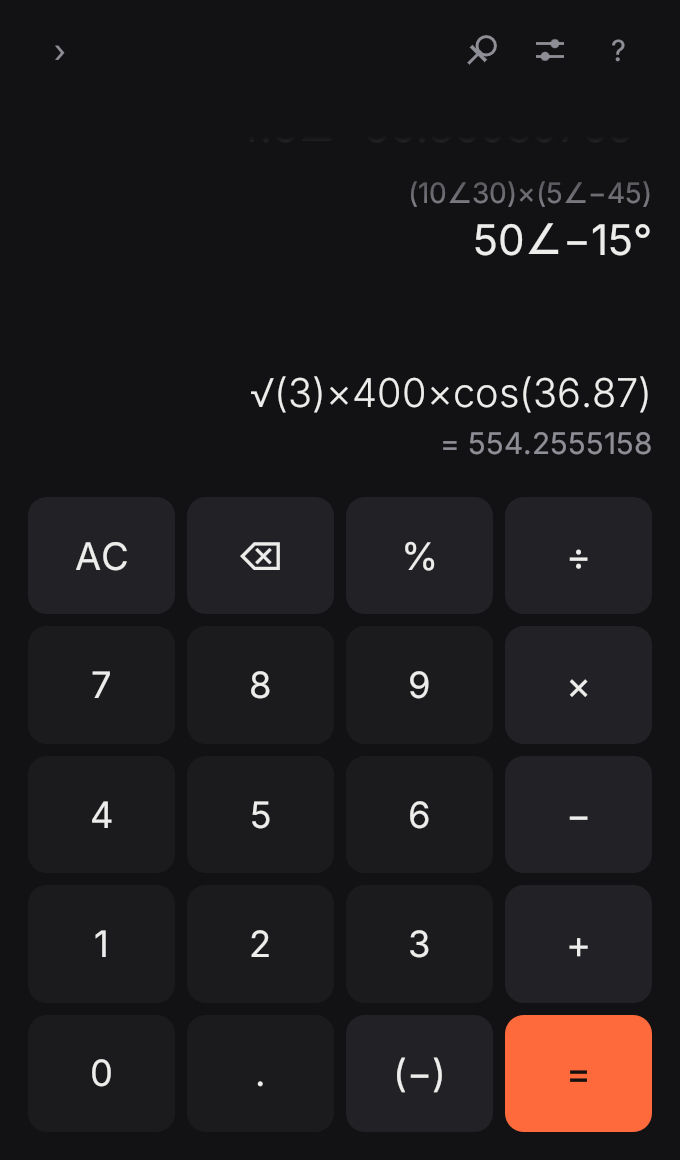
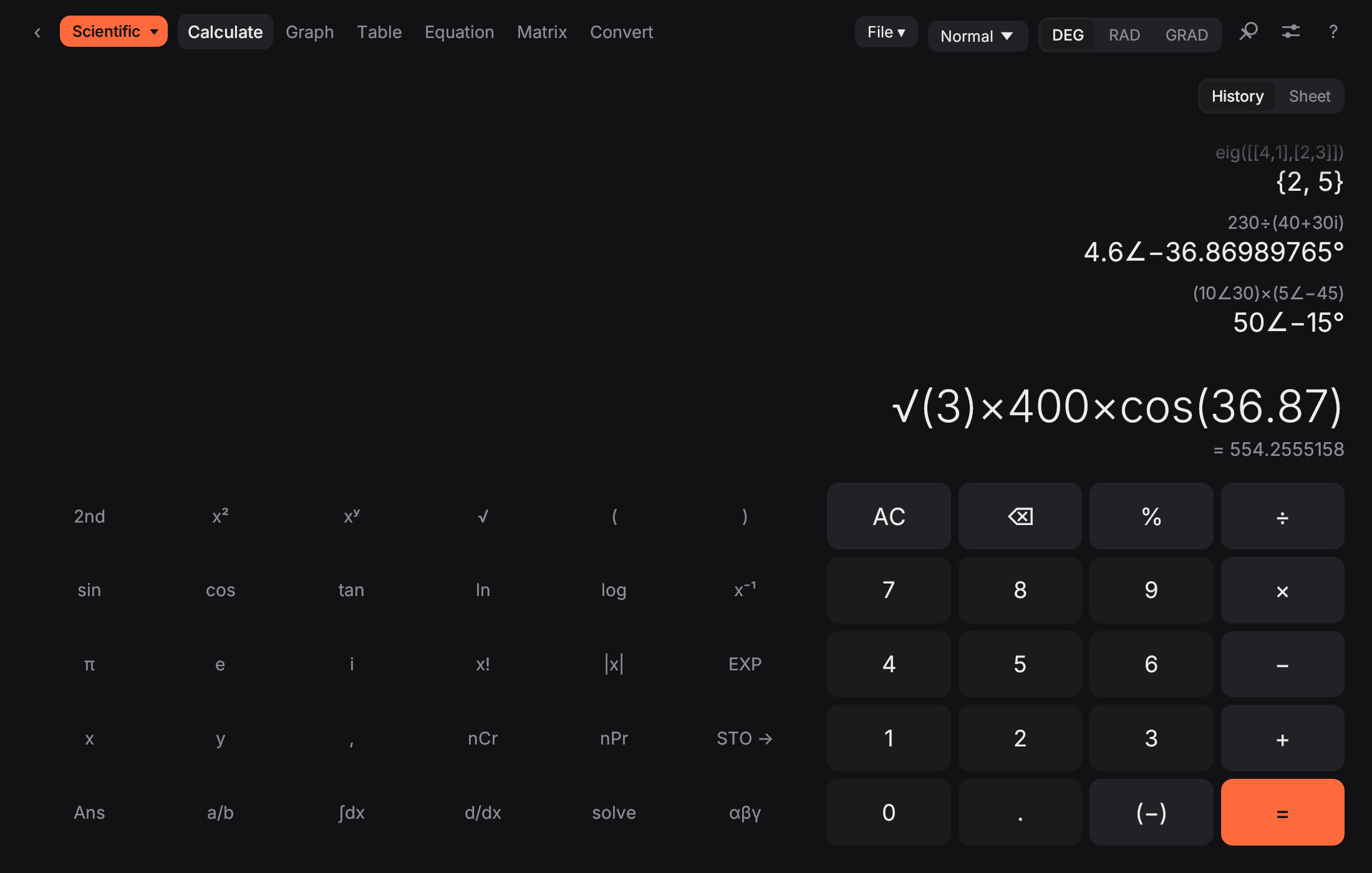
Opens as a small everyday calculator. One click expands it into Calculate, Sheet, Graph, Table, Equation, Matrix, Statistics, Finance, Convert and Programmer.
Circuits
4.7kΩ ∥ 10kΩ
3.197k
SI prefixes as typed, parallel with ∥, Eng display.
Phasors
(10∠30) × (5∠−45)
50∠−15°
Polar or rectangular, in the angle unit you chose.
Sheet
fc = 1/(2π·R·C)
338.63
Named values; change R and every line below follows.
Physics
kB·300 / qe
25.85m
Physical constants by name, with a key layer.
Calculus
integ(e⁻ˣ, 0, inf)
1
Improper integrals, limits, Taylor coefficients.
Linear algebra
eig([[4,1],[2,3]])
{2, 5}
Eigenvalues, eigenvectors, LU, QR, nullspace.
Differential equations
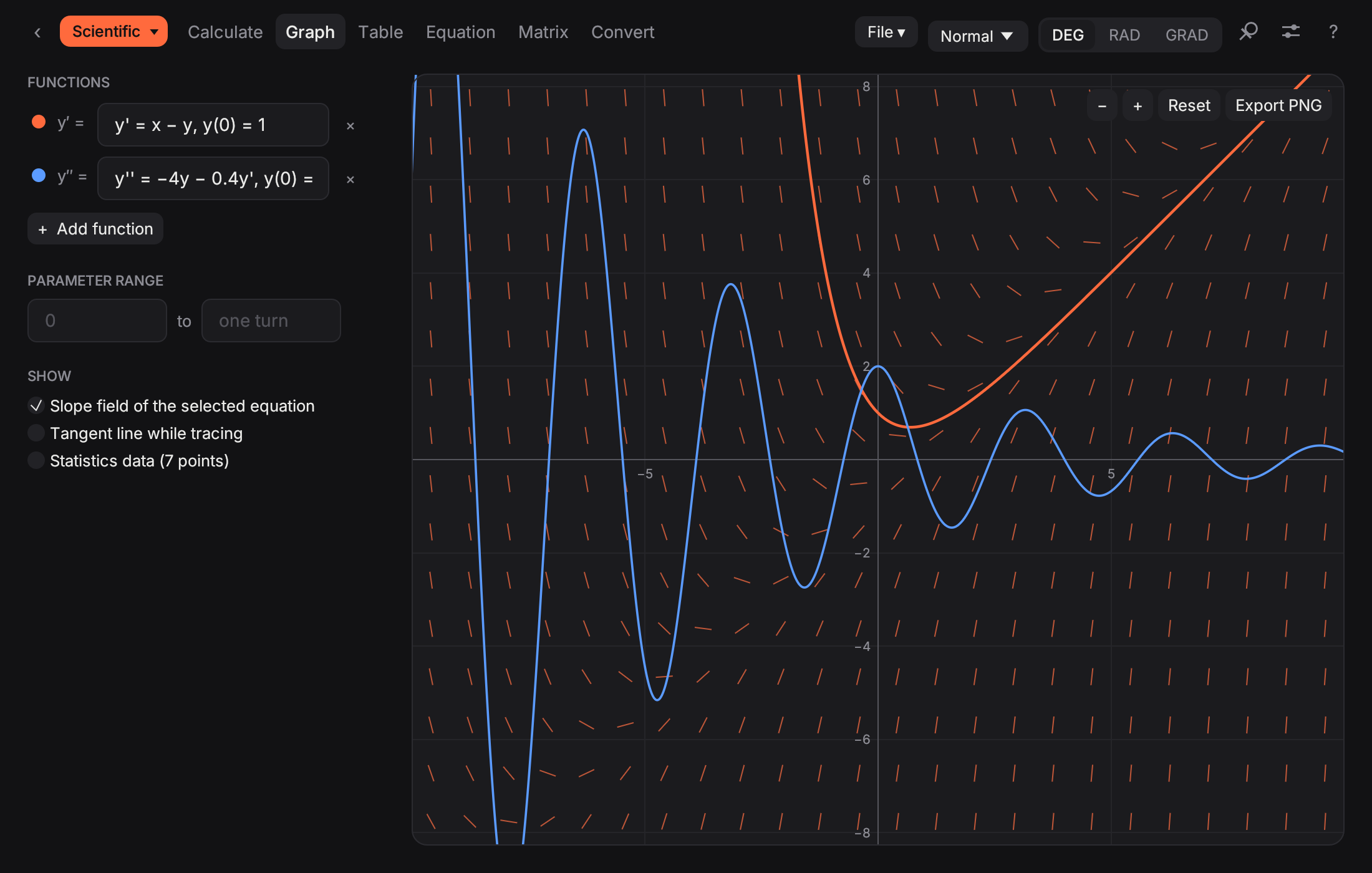
y′ = x − y, y(0) = 1
drawn
Solved and plotted with a slope field.
Uncertainty
U = k·√(u1² + u2² + u3²)
0.123
GUM-style combined and expanded uncertainty.
New in 3.1
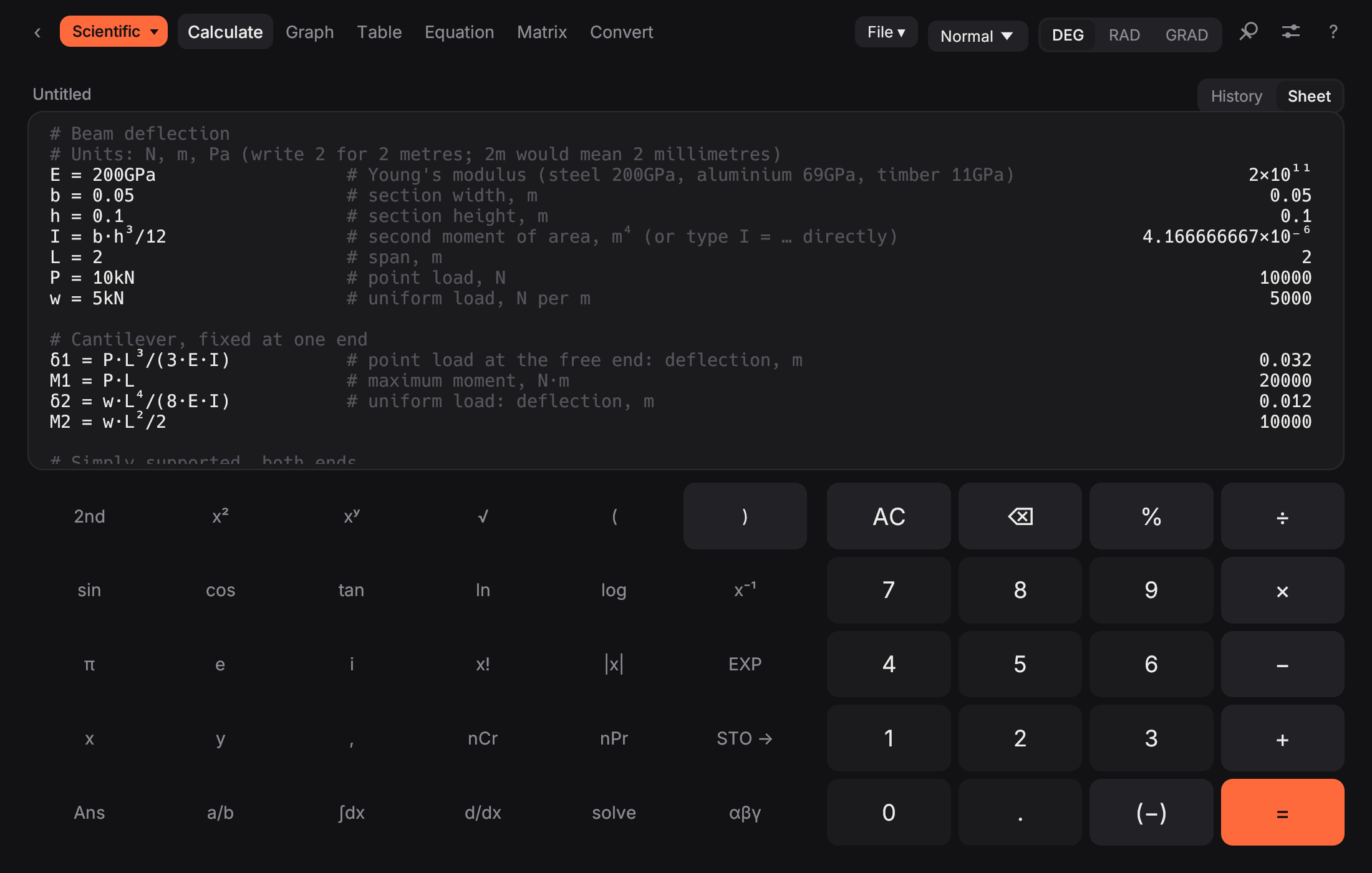
Switch Calculate to a sheet: one calculation per line, each result beside it. Name a value and use it below. Change one number and everything after it updates. Save it as a plain text file and open it next week.
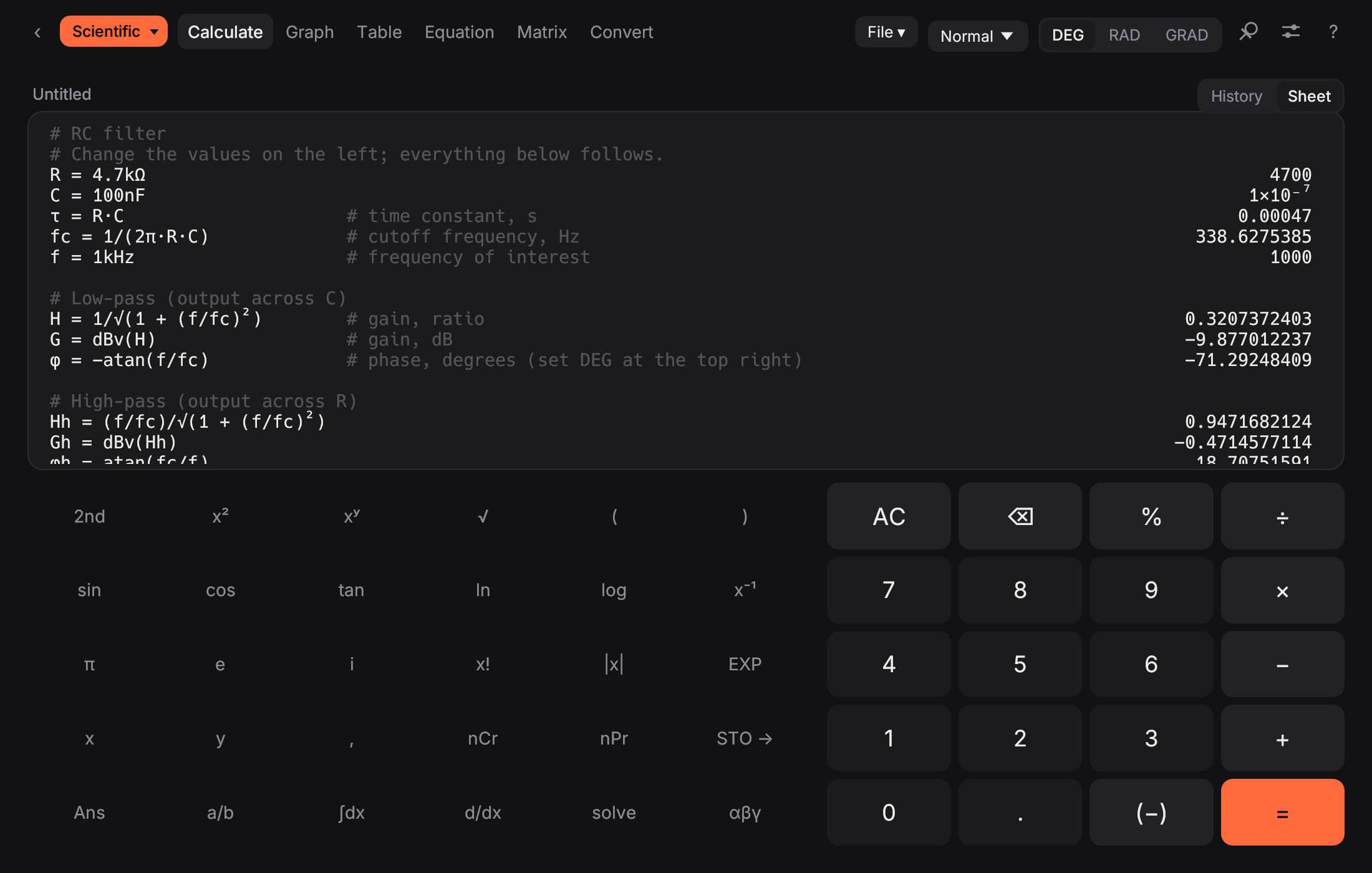
R = 4.7kΩ, then fc = 1/(2π·R·C). Names can be longer than a letter: fc, ωn, u1. Anything after # is a comment.
New, Open, Save and Save as keep sheets as .calc text files. ⌘N ⌘O ⌘S. The sheet comes back as it was when the app is next opened.
One menu item saves what is in front of you for a spreadsheet: the sheet or history, the value table, the statistics data or a matrix.
Templates
File ▸ New from template. Each one is an ordinary sheet with the inputs at the top and the formulas below, so you can change anything, add a line or save your own version.
fc = 1/(2π·R·C) G = dBv(1/√(1 + (f/fc)²))
Cutoff, gain in dB and phase for low- and high-pass, plus step-response times.
I = b·h³/12 δ = P·L³/(3·E·I)
Cantilever and simply supported, point and uniform load: deflection, moment and bending stress.
ωn = √(k/m) ζ = c/(2·√(k·m))
Natural and damped frequency, damping ratio, log decrement, amplification and transmissibility.
Zs = R + i·(XL − XC) Zp = R ∥ (i·XL) ∥ (−i·XC)
Series and parallel impedance as complex numbers, phase, resonance, Q and bandwidth.
uc = √(u1² + u2² + u3² + u4²) U = k·uc
Type B components with their divisors, Type A from repeated readings, combined and expanded uncertainty.
Built for coursework
Type the way you write on paper. Powers turn into superscripts, answers come back as fractions, multiples of π or roots when that is clearer, and every key has a tip.
4.7kΩ ∥ 10kΩ · dB · 10∠30
SI prefixes typed as written, the parallel operator, decibels, phasors in rectangular or polar form, and an Eng display.
eig · lu · qr · nullspace
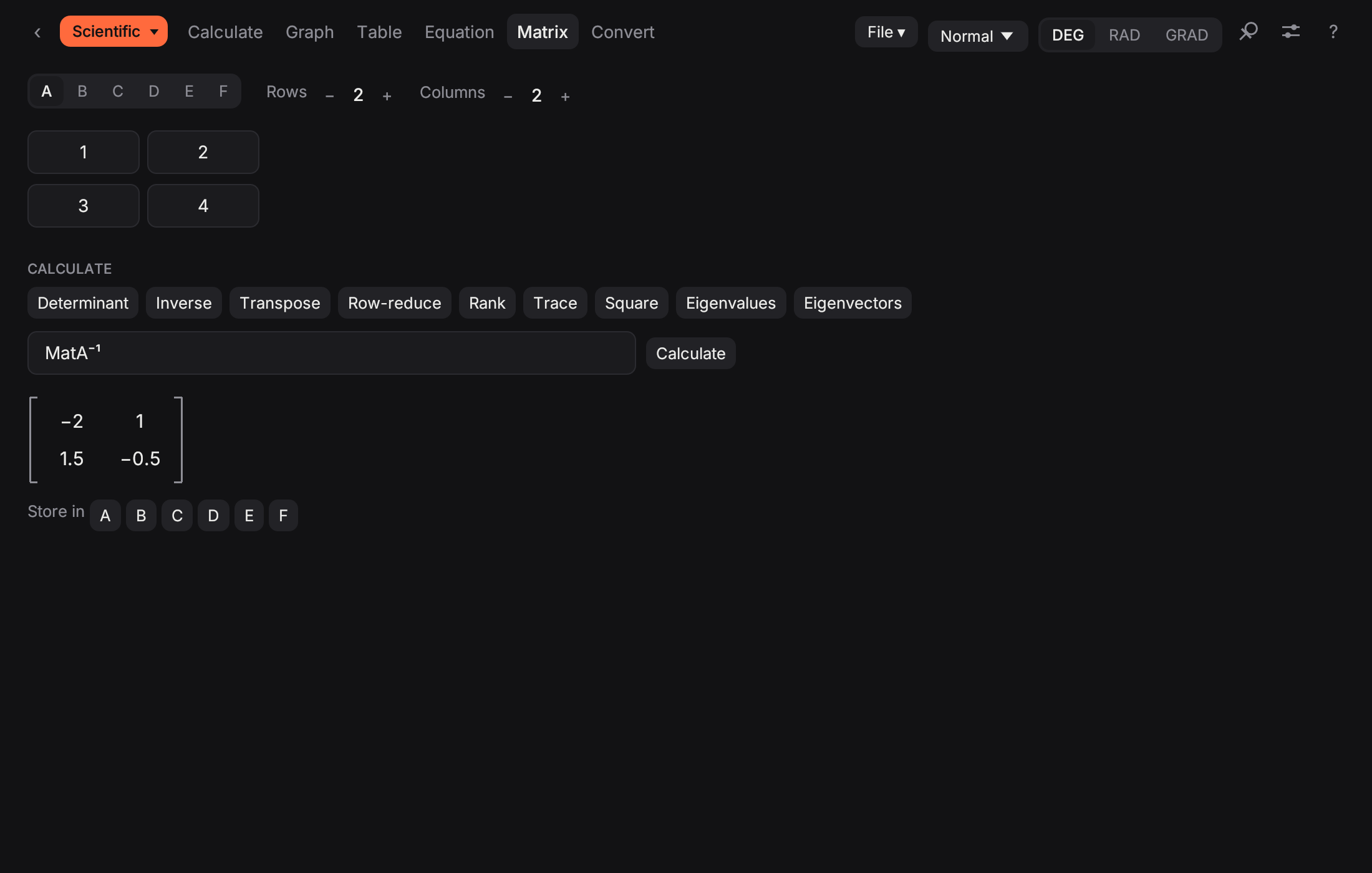
Six matrices up to 6 × 6: inverse, determinant, rref, eigenvalues and eigenvectors, decompositions, matrix exponential.
x³ − 2x = 5
Roots to degree 6 with complex roots, systems of up to 6 unknowns, a numeric solver and polynomial arithmetic.
limit · taylor · ∫ to ∞
Higher and partial derivatives, improper and double integrals, limits, Taylor coefficients, arc length, volumes of revolution.
y′ = x − y, y(0) = 1
First- and second-order equations solved and drawn with a slope field; the Table tab lists the values.
a·x² + b
Six functions, polar and parametric curves, inequalities, sliders, roots, extrema, intersections and tangents.
t · F · χ² · ANOVA
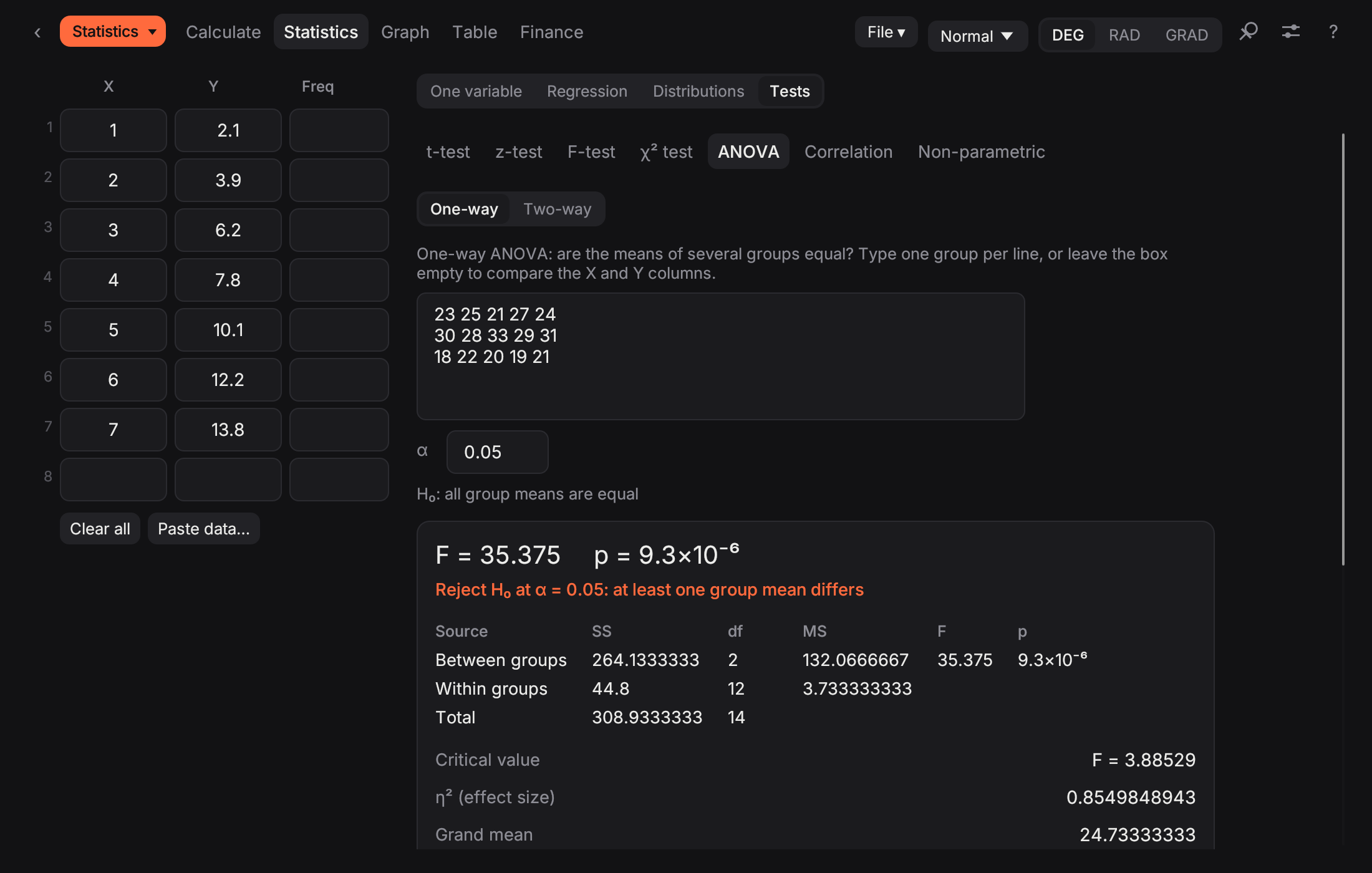
Regression, distributions and hypothesis tests with p-values, confidence intervals and Tukey's test.
0xBEEF · shl · xor
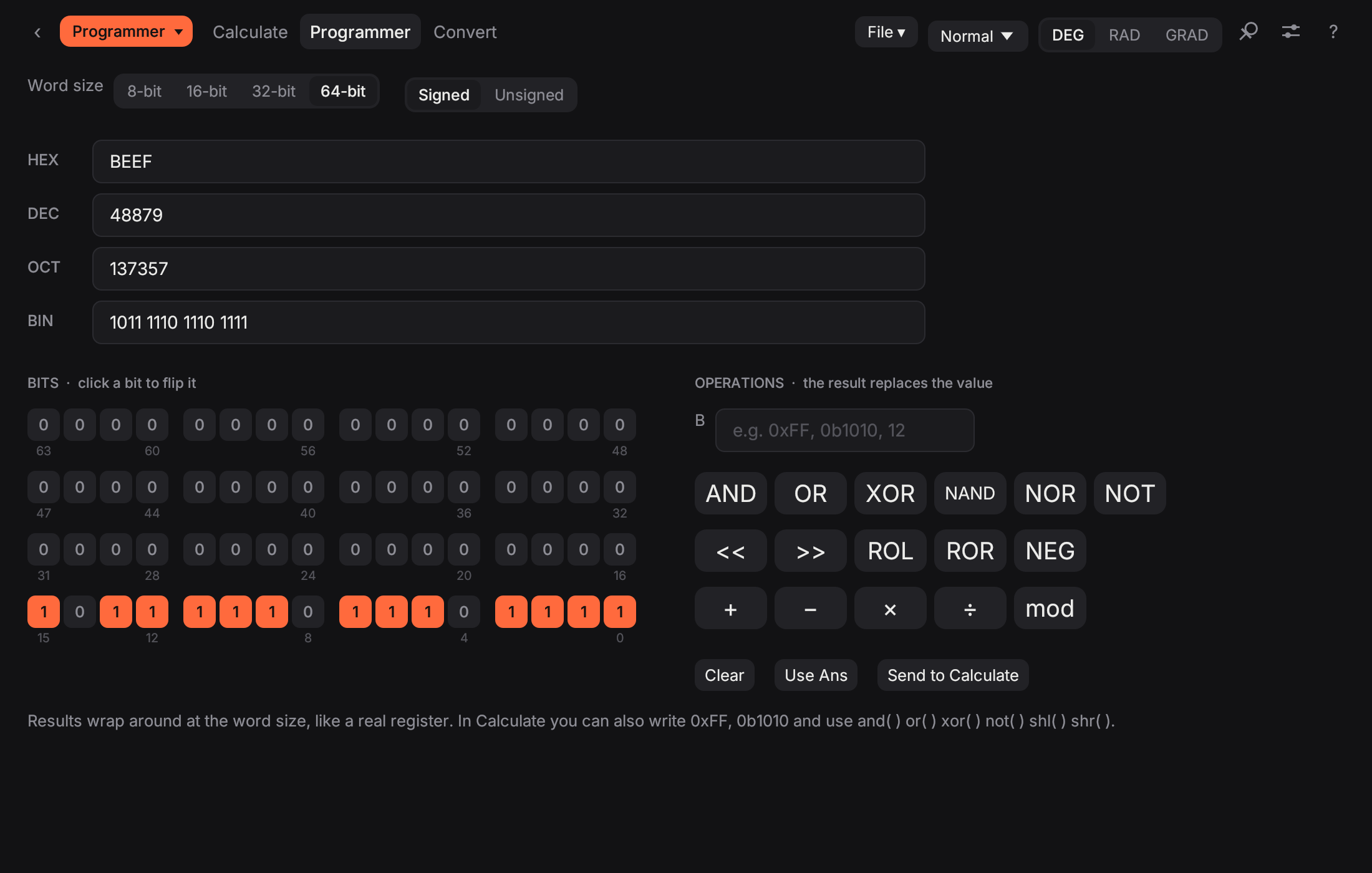
HEX, DEC, OCT and BIN side by side, a clickable bit grid and bitwise operations for 8 to 64 bits.
kB · NA · ε₀ · 5 km to m
Physical constants by name with a CONST key layer, 13 unit categories, and conversions written straight into a calculation.
EMI · NPV · IRR
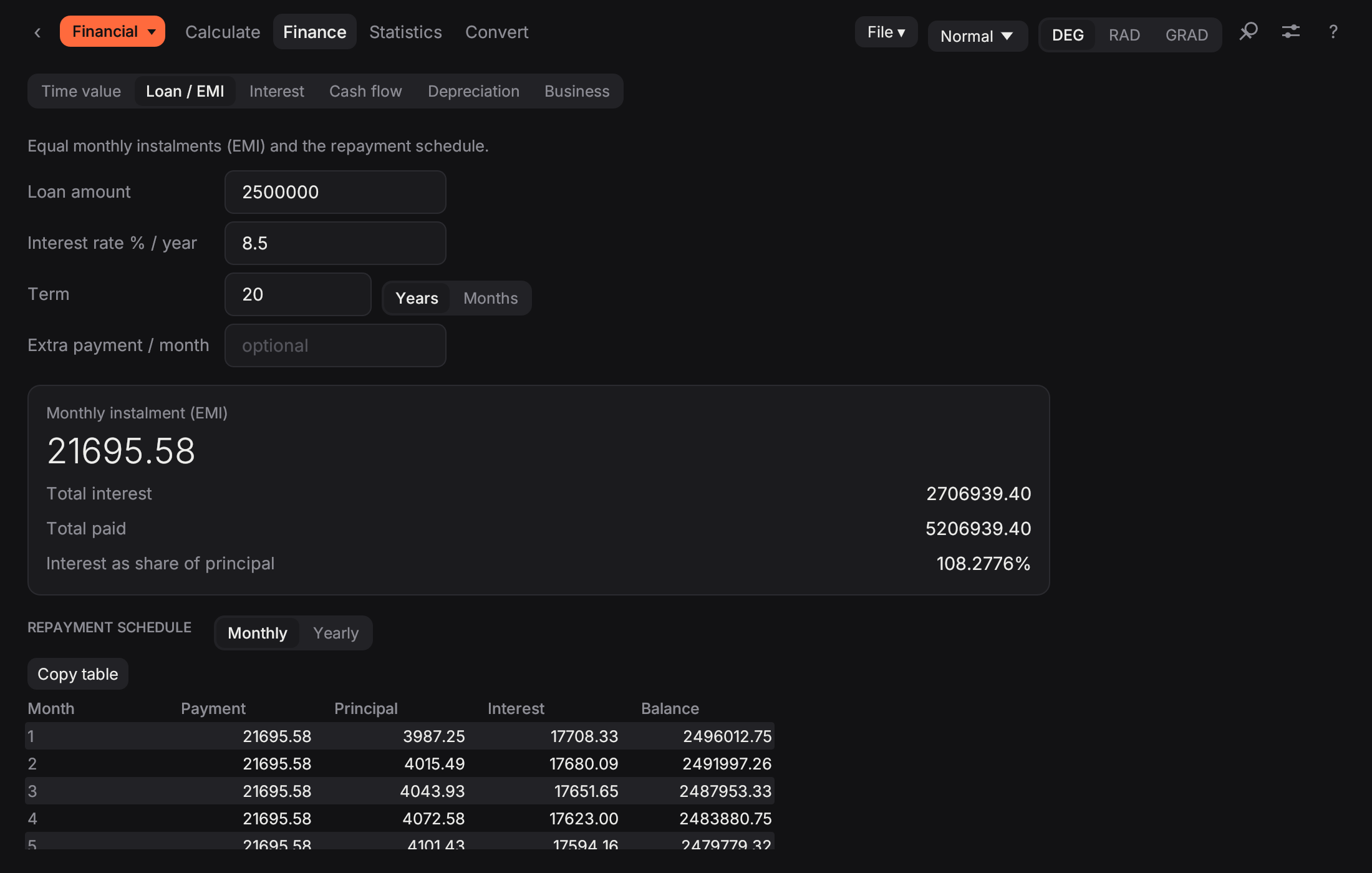
Loan schedules, time value of money, cash flows, depreciation and the business arithmetic of a first job.
File ▸ Export CSV…
Sheets as plain text, CSV out of any table, and Copy table for a quick paste into a spreadsheet.
⌘1 … ⌘9
Scientific, Financial, Statistics, Programmer or All in one; light or dark; small, normal or large text; the mode you used last.
Graph
Any letter in a function becomes a slider. Drag it, or press play, and watch the curve, its derivative and its tangent move together. Inequalities shade their region.
Differential equations
Write y′ = x − y, y(0) = 1 as a graph line and the solution appears through that point. Second order works the same way for RLC circuits and spring–mass systems. Turn on the slope field to see every solution at once.
Circuits
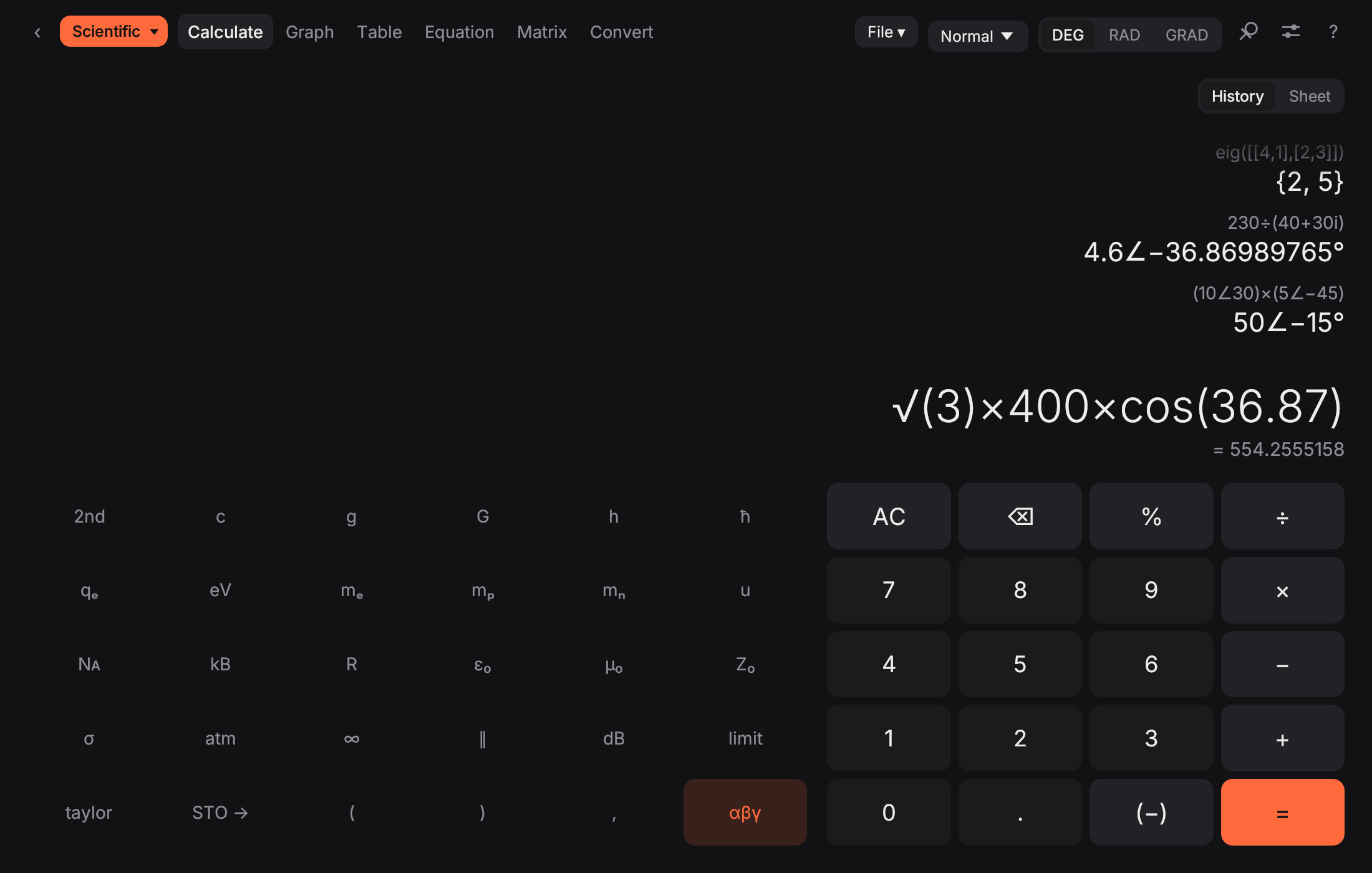
4.7kΩ, 220µF and 5mA are understood as typed. 2nd + αβγ turns the keys into physical constants, ∥, dB, limit and taylor, each with its value in a tooltip. Choose Eng and results read 3.197k and 2.2m.
Matrix
Enter a matrix once and reuse it as MatA anywhere. Inverse, determinant, row-reduction, eigenvalues and eigenvectors are one click; LU, QR, nullspace, the matrix exponential and the condition number are a function call.
Statistics
Programmer
One value in four bases at once, a bit grid you can click, and AND, OR, XOR, shifts and rotates with real word sizes.
Finance
EMI with the full repayment schedule, time value of money, NPV and IRR, depreciation, break-even and GST. Every box takes a calculation, and Copy table puts the schedule in a spreadsheet.
Download
Pick your system. Installers are small and the app needs no internet after that.
Apple silicon (M1 or later) · 3.8 MB · v3.1.0
Unzip and drag to Applications. The first time, if macOS says it can't be opened, go to System Settings › Privacy & Security › Open Anyway.
Download for MacWindows 10 / 11, 64-bit .msi · 4.0 MB · v3.1.0
Double-click the installer. If SmartScreen appears, choose More info › Run anyway. Remove it later from Settings › Apps.
Download for Windowsx86-64 .deb · 4.6 MB · v3.1.0
Install with sudo apt install ./scientific-calculator_3.1.0_amd64.deb
x86-64 .tar.gz · 5.9 MB · v3.1.0
Extract it and run ./install.sh. No root needed.
Homebrew brew install --cask tikitech01/tap/scientific-calculator
Scoop scoop bucket add tikitech https://github.com/Tikitech01/scoop-bucket then scoop install scientific-calculator
Open source under the MIT licence. What changed in each version ›
Every calculation runs on your computer. Use it in the lab, the library or on the train.
No account, no tracking, no ads. Your history and sheets stay on your machine.
A native app written in Rust: small download, quick to start, light on battery.